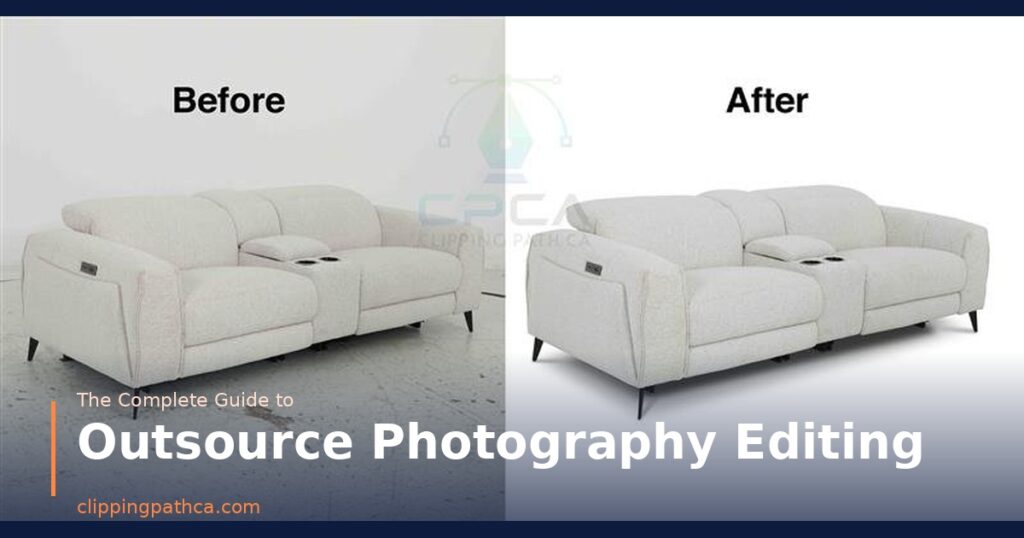
Every great photograph starts the moment you press the shutter — but it’s finished in post production. Whether you’re a commercial photographer, an eCommerce brand, or a fashion retailer, post production photo editing is the process that transforms raw captures into polished, professional, sales-ready images.
In today’s hyper-visual marketplace, buyers make split-second judgments about product quality based entirely on your images. Research consistently shows that high-quality, professionally edited product images drive up to 30% higher conversion rates — and that misleading or low-quality images are the number one cause of online returns.
In this complete guide, we break down everything you need to know about post production photo editing — from the full workflow and core techniques to platform requirements, pricing, and how to choose the right editing partner for your brand.
| Topic | What You’ll Learn |
|---|---|
| What Is Post Production | Definition, scope, and why it matters |
| Full Workflow | Step-by-step editing process from import to export |
| Core Techniques | Background removal, color correction, retouching & more |
| By Industry | How post production differs by product type |
| Tools & Software | Photoshop, Lightroom, and professional workflows |
| DIY vs. Outsourcing | When to edit in-house vs. hire professionals |
| Pricing Guide | What professional post production costs in 2026 |
What Is Post Production Photo Editing?
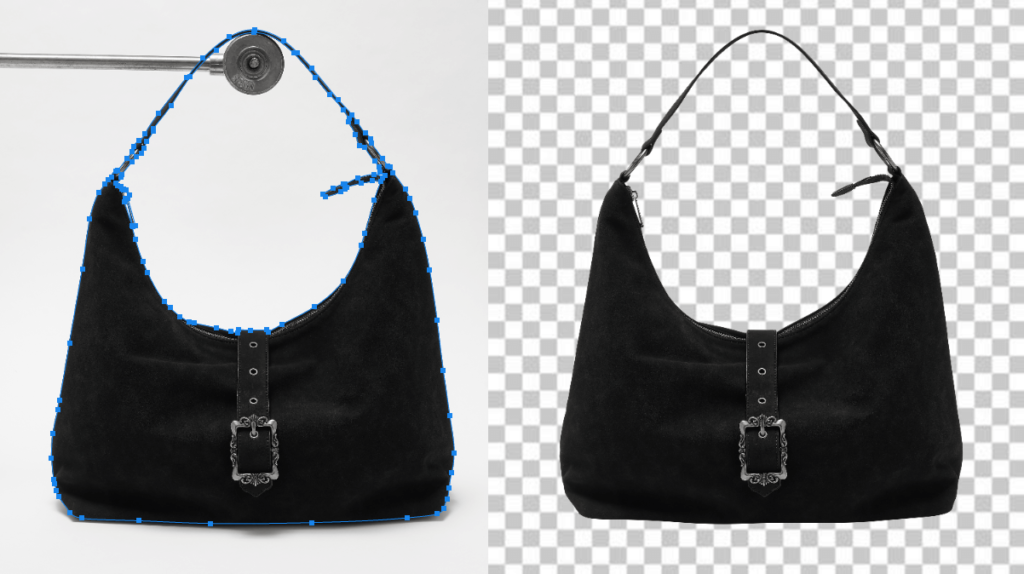
Post production photo editing refers to all the work done to an image after it has been photographed. It covers everything from basic exposure corrections in Lightroom to complex compositing, background replacement, color grading, and retouching in Photoshop.
The term “post production” comes from the film and broadcast industries, where it described all work done after the shoot — editing, sound mixing, color grading, and visual effects. In photography and eCommerce, it refers to the same principle: everything that happens between the raw capture and the final published image.
Post production photo editing typically covers:
- Culling and selection — choosing the best frames from a shoot
- Basic corrections — exposure, white balance, contrast, highlights, shadows
- Background removal and replacement — isolating subjects from their backgrounds
- Color correction and grading — accurate color matching and brand-consistent tone
- Retouching — removing dust, blemishes, wrinkles, and imperfections
- Shadow and reflection work — creating natural or branded shadow effects
- Compositing — combining multiple images into one
- Resizing and export — preparing files for specific platforms and use cases
Done professionally, post production is invisible — the viewer sees only a compelling, accurate product image, never the editing work behind it. That invisibility is the mark of truly excellent post production.
Why Post Production Photo Editing Matters
No camera, no matter how expensive, produces a perfectly finished product image straight out of the sensor. Lighting leaves unwanted shadows. Color temperature drifts between frames. Dust settles on products during the shoot. Backgrounds are uneven. These are not failures — they’re the natural reality of photography. Post production is what fixes them.
Builds Buyer Confidence
Shoppers cannot touch, smell, or try products online. Your images carry the entire sensory burden of the purchase decision. Clean, professionally edited images signal quality, reliability, and brand professionalism — all of which translate directly into buyer confidence and higher conversion rates.
Reduces Product Returns
Inaccurate product images — wrong colors, distorted shapes, misleading sizes — are a primary driver of online returns. Professional post production ensures color accuracy, correct proportions, and honest product representation, setting the right buyer expectations before purchase and reducing costly returns.
Ensures Marketplace Compliance
Amazon, Walmart, Zalando, and every major marketplace has strict image requirements. Pure white backgrounds, minimum pixel dimensions, no watermarks — non-compliant images get suppressed or rejected. Professional post production guarantees every image meets the exact technical specifications of every platform where you sell.
Creates Brand Consistency
A catalog where every product image has consistent lighting, background, color tone, and shadow treatment looks premium and trustworthy. Inconsistency — even subtle differences in white balance or shadow style — makes a catalog look assembled from different sources rather than presenting a unified brand. Post production is how you achieve and maintain that consistency at scale.
Improves SEO and Ad Performance
High-quality, properly optimized images perform better in Google Shopping, Pinterest, and social media ad placements. Well-edited images with correct alt text, proper file names, and optimized file sizes also improve your site’s Core Web Vitals — a direct ranking factor for Google search.
The Complete Post Production Photo Editing Workflow
Professional post production follows a structured, repeatable workflow that ensures consistent quality across every image in a project. Here’s how it works from start to finish:
Stage 1 — Import and Culling
The first step is importing RAW files from the camera into an editing application (typically Adobe Lightroom or Capture One) and culling — selecting the best frames from each setup. A professional culling process evaluates sharpness, composition, exposure, and expression (for lifestyle or on-model shots) to identify the selects that will go through full editing.
Shooting in RAW is essential for professional post production. RAW files contain far more image data than JPEGs — giving editors significantly more flexibility to correct exposure, white balance, and color without quality degradation.
Stage 2 — Global Corrections in Lightroom
Before moving to Photoshop for detailed work, global corrections are applied in Lightroom (or equivalent) to establish the correct baseline for every selected image:
- White balance — correcting color temperature to remove warm or cool casts from studio lighting
- Exposure — bringing the overall brightness to the correct level for the product and platform
- Highlights and shadows — recovering blown-out highlight detail and lifting blocked-up shadows
- Contrast and clarity — adding appropriate midtone contrast to give the product dimension
- Lens correction — removing barrel distortion and vignetting from the camera lens
For batch efficiency, global corrections are typically applied to one hero image, then synced across all other frames from the same setup — ensuring color consistency across the batch before any Photoshop work begins.
Stage 3 — Background Removal and Isolation
Once global corrections are set, images move to Photoshop for background removal — isolating the product from its original background. The industry-standard method is the clipping path technique: manually tracing the product outline with Photoshop’s Pen Tool to create a precise vector path that cuts the subject cleanly from its background.
For products with complex edges — clothing, accessories with fine straps, hair on on-model shots, transparent or translucent materials — image masking is used instead of or alongside clipping path to preserve fine edge detail.
Once isolated, the background is replaced with:
- Pure white (#FFFFFF) — the marketplace standard for Amazon, Walmart, eBay, and most platforms
- Transparent PNG — for web overlays, banners, and design assets
- Lifestyle or textured backgrounds — for brand campaigns, social media, and editorial imagery
Stage 4 — Color Correction and Grading
Color accuracy is the most commercially critical aspect of post production photo editing. A product that appears one color online and arrives as a different shade creates immediate customer dissatisfaction and drives returns.
Professional color correction in Photoshop involves:
- Matching product colors to physical samples or brand Pantone/hex references
- Correcting hue shifts introduced by studio lighting (particularly common with reds and blues)
- Ensuring consistent color treatment across all images in a SKU range
- Adjusting saturation to appear vivid but accurate — not oversaturated
Read more: Professional Color Correction Services — Accurate Color for Every Product
Stage 5 — Retouching and Surface Cleaning
Even the most carefully prepared product picks up dust particles, fingerprints, fabric lint, and microscopic surface marks during the shoot. At full resolution, these imperfections are clearly visible — and they communicate poor quality to buyers.
Professional photo retouching in this stage includes:
- Dust and scratch removal from product surfaces using Healing Brush and Clone Stamp
- Wrinkle smoothing for fabric products (apparel, bags, soft goods)
- Thread and loose fibre removal from clothing edges
- Reflection cleaning for glossy and metallic surfaces
- Shape correction — subtle liquify adjustments to ensure symmetry and correct proportions
Stage 6 — Shadow and Depth Work
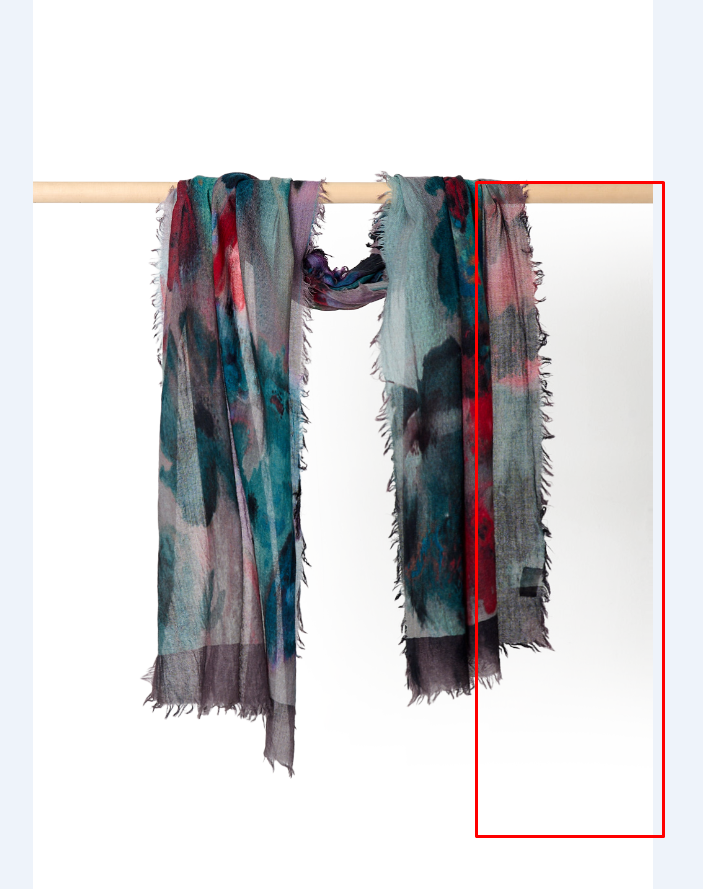
A product photographed on a white background with its shadow removed looks like it’s floating. Adding the appropriate shadow type grounds the product visually and gives the image a natural, three-dimensional quality that buyers respond to positively.
Our professional Photoshop shadow service creates three main shadow types depending on the brief:
| Shadow Type | Appearance | Best For |
|---|---|---|
| Drop Shadow | Clean soft shadow below product | eCommerce packshots, catalog pages |
| Natural Shadow | Realistic directional shadow | Lifestyle, campaign, editorial |
| Reflection Shadow | Mirror-like reflection below | Electronics, shoes, premium products |
Stage 7 — Consistency Check and Export
Before final delivery, every edited image goes through a consistency review — ensuring the entire batch has matching background tone, color treatment, shadow style, and framing. Images are then exported in the exact specifications required for each sales channel, with correct file names, dimensions, resolution, and file size.
Need Expert Post Production Editing?
Clipping Path CA delivers professional post production photo editing for eCommerce brands, photographers, and agencies worldwide. Manual editing by expert Photoshop retouchers — from $0.25/image, 24-hour turnaround.
Post Production Editing by Product and Industry
Different product types and industries have different post production requirements. A one-size-fits-all approach to editing doesn’t work at a professional level. Here’s how the workflow adapts across key product categories:
Fashion and Apparel
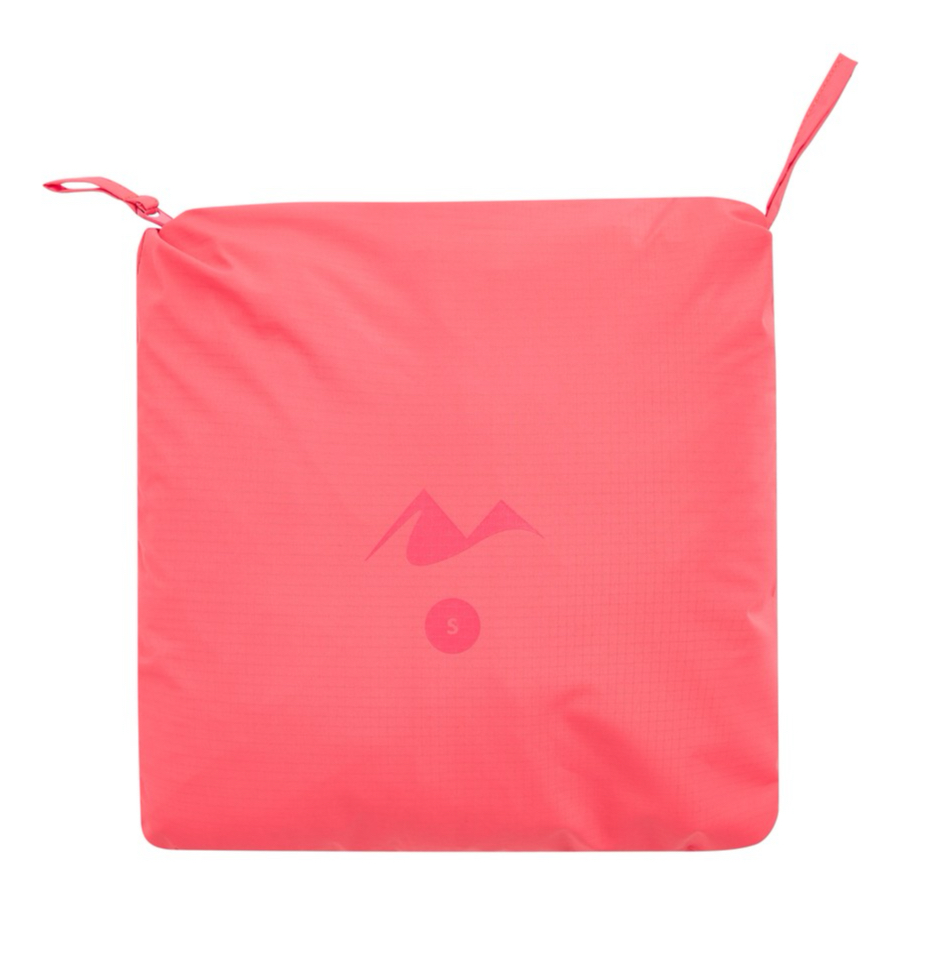
Fashion is one of the most demanding categories for post production photo editing. Key challenges include fabric color accuracy (fabrics shift dramatically under different lights), wrinkle and fold smoothing, loose thread removal, and shape correction to simulate the on-body fit when products are shot flat or on hangers.
Ghost mannequin editing — combining multiple shots to create a hollow-interior effect that shows garment shape without a visible model — is a core technique for fashion brands that need clean, structured product images at scale. Our ghost mannequin service delivers this efficiently for apparel brands of all sizes.
Jewelry and Luxury Accessories
Jewelry post production is among the most technically demanding editing work. Diamonds, polished metals, and precious stones are highly reflective, capturing every studio light source, fingerprint, and microscopic surface mark. Professional jewelry editing preserves natural sparkle and material quality while removing distracting reflections, cleaning metal surfaces, and enhancing gemstone clarity and depth.
Handbags and Leather Goods
Leather goods require careful attention to texture preservation — the grain, pebbling, and stitching detail of a quality leather bag is a primary selling point. Post production for leather products focuses on glare management (leather creates bright hotspots under studio lights), surface cleaning, color accuracy, and shadow creation that communicates the weight and structure of the piece.
Electronics and Technology
Screens, metallic casings, and glossy plastics create significant reflection and glare issues in product photography. Post production for electronics focuses on reflection removal, screen compositing (adding a lifestyle screen to device displays), metallic surface cleaning, and color accuracy for brand-specific colorways.
Children’s Clothing and Accessories
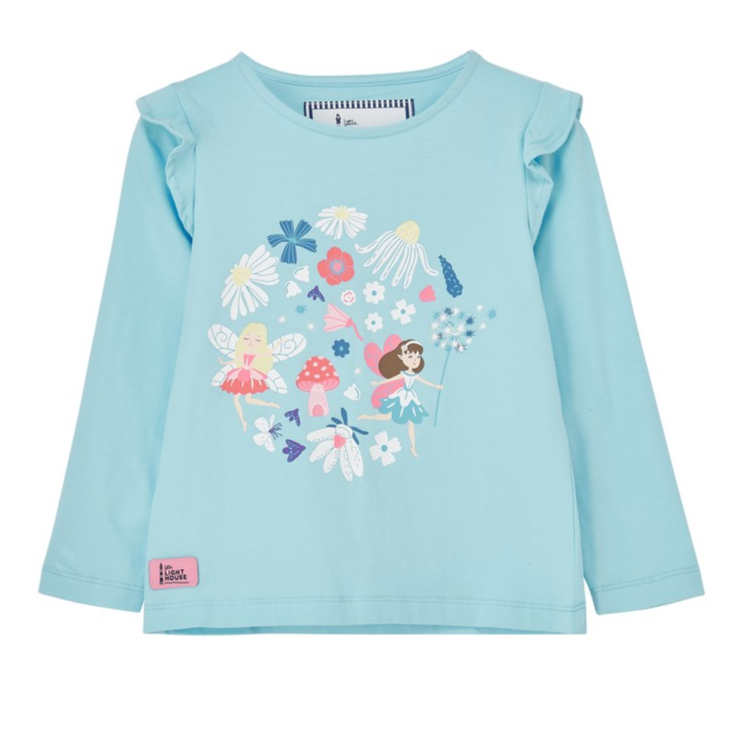
Children’s product post production demands bright, accurate, and cheerful color — parents buying kids’ clothing rely heavily on color accuracy to match existing wardrobes. Key editing tasks include background removal, fabric color correction, shape and drape adjustment for lay-flat or hanger shots, and consistency matching across range.
Real Estate Photography
Post production is transformative for real estate imagery. Our real estate photo editing services cover HDR blending (combining multiple exposures for balanced interior and window detail), sky replacement, virtual staging, perspective correction, and color correction — turning ordinary property shots into compelling listings that attract buyers and renters.
| Industry | Key Post Production Task | Primary Goal |
|---|---|---|
| Fashion / Apparel | Ghost mannequin, color accuracy, wrinkle removal | On-body fit appearance |
| Jewelry | Reflection management, sparkle enhancement | Luxury quality perception |
| Leather Goods | Texture preservation, glare control | Material quality communication |
| Electronics | Screen compositing, reflection removal | Clean, precise tech aesthetic |
| Children’s Products | Color accuracy, cheerful tone, consistency | Accurate color for purchasing decisions |
| Real Estate | HDR blend, sky replacement, virtual staging | Compelling property presentation |
Post Production Tools and Software
Adobe Lightroom Classic
The industry standard for global corrections, culling, and batch processing. Lightroom’s non-destructive workflow preserves original RAW files while allowing rapid global adjustments across large batches. Sync presets allow one set of corrections to be applied to hundreds of images simultaneously — the backbone of efficient eCommerce post production.
Adobe Photoshop
Photoshop remains the gold standard for detailed post production work — background removal, retouching, compositing, shadow creation, and advanced color work. Its Pen Tool for clipping paths, Healing Brush for retouching, and Curves for precise color correction make it the essential tool for any professional post production workflow.
Capture One
Increasingly popular with high-end commercial and fashion photographers, Capture One is known for its superior color rendering and tethered shooting capabilities. Its color editor and skin tone tools make it particularly powerful for fashion and beauty post production workflows.
AI-Assisted Tools
AI tools like Adobe Firefly, Remove.bg, and built-in Photoshop AI features have accelerated certain post production tasks — particularly basic background removal and spot healing. However, for complex products, fine edge detail, and precise color matching, AI tools still require human oversight and manual finishing. The 2026 professional standard is AI-assisted human editing — not fully automated AI output.
Platform Image Requirements for Post Production
Every major eCommerce platform has specific image requirements that your post production workflow must meet. Non-compliant images risk being suppressed or rejected:
| Platform | Background | Min Size | Format | Special Requirement |
|---|---|---|---|---|
| Amazon | Pure white RGB 255,255,255 | 1000×1000px | JPEG, PNG | 1600px+ for zoom feature |
| Walmart | Pure white | 1500×1500px | JPEG | No watermarks permitted |
| Shopify | Any (white recommended) | 800×800px+ | JPEG, PNG, WebP | Square format preferred |
| eBay | White preferred | 500×500px | JPEG, PNG | Max 12MB per image |
| Zalando | White or light grey | 762×1100px | JPEG | Portrait format required |
| Etsy | Any | 2000×2000px | JPEG, PNG | Lifestyle images encouraged |
Post Production Photo Editing Pricing Guide
Post production pricing varies based on complexity, volume, turnaround time, and the level of editing required. Here’s a clear overview of current market rates:
| Service Level | Price Per Image | What’s Included |
|---|---|---|
| Basic (background removal + cleanup) | $0.25 – $2.00 | White background, basic surface clean |
| Standard (full retouch) | $2.00 – $8.00 | Color correction, shadow, wrinkle removal |
| Advanced (complex editing) | $8.00 – $30.00 | Compositing, jewelry, complex masking |
| Commercial / Editorial | $15.00 – $150.00+ | Campaign level, high-end magazine quality |
For high-volume projects, bulk pricing significantly reduces the per-image cost. At Clipping Path CA, we offer custom volume pricing for catalogs of 100+ images, with turnaround times as fast as 24 hours for standard post production work.
DIY vs. Professional Post Production Photo Editing
| DIY Post Production | Professional Service | |
|---|---|---|
| Cost | Software subscription only | Per-image fee |
| Time | 30 min – 2 hrs per image | 24–48 hr batch turnaround |
| Quality | Variable, skill-dependent | Consistent, professional |
| Volume capacity | Limited (10–20 images/day) | Unlimited (100s per day) |
| Platform compliance | Risk of errors | Guaranteed compliance |
| Best for | Hobbyists, under 20 images/month | eCommerce brands, agencies, studios |
The tipping point for most eCommerce sellers is around 20–30 images per month. At that volume, the time cost of DIY post production exceeds the cost of professional outsourcing — and the quality and consistency gap becomes commercially significant. Explore our full range of professional photo editing services to find the right solution for your volume and product type.
Read more: eCommerce Photo Editing — Complete Guide for Online Sellers
Common Post Production Mistakes to Avoid
❌ Shooting JPEG Instead of RAW
JPEG files discard up to 85% of the image data captured by the sensor. Attempting post production on JPEG files severely limits the editor’s ability to correct exposure, white balance, and color without introducing compression artifacts. Always shoot RAW for any product intended for professional post production.
❌ Over-Editing and Artificiality
Buyers instantly recognize over-retouched images — products that look plastic, colors that are clearly artificial, surfaces that look digitally smoothed rather than real. Effective post production is subtle. The goal is a better version of reality, not a fantasy version of it.
❌ Ignoring Batch Consistency
Inconsistent white balance, varying shadow styles, or different background tones across a product range makes a catalog look unprofessional. Establish a style guide before starting any post production project and enforce it consistently across every image in the batch.
❌ Poor Background Removal
Jagged edges, halos, and missed areas in background removal signal low-quality editing immediately. For complex products — jewelry, lace, flyknit uppers — always use manual clipping path or image masking rather than relying solely on AI auto-removal tools.
❌ Wrong Export Specifications
Submitting images to marketplaces in the wrong dimensions, resolution, or color space results in listing suppression or poor display quality. Always verify platform requirements before final export and build a platform-specific export checklist into your post production workflow.
Why Choose Clipping Path CA for Post Production?
Clipping Path CA has been delivering professional post production photo editing for eCommerce brands, photographers, and agencies worldwide for over a decade. Here’s what sets us apart:
- 100% manual editing — every image is edited by a skilled human retoucher, not an AI tool
- All product categories covered — fashion, jewelry, electronics, furniture, food, real estate, and more
- 24-hour standard turnaround — reliable delivery for time-sensitive campaigns and product launches
- Competitive pricing from $0.25/image — transparent per-image pricing with no hidden fees
- Free trial on every first order — test our quality before committing to a bulk project
- Unlimited free revisions — we stand behind every image until you’re completely satisfied
- Rated 4.7/5 by 3,000+ clients — trusted by photographers, brands, and agencies globally
View our work in our portfolio or start with a free trial — no credit card required.
Conclusion
Post production photo editing is where good photography becomes great commercial imagery. It’s the process that closes the gap between what the camera captures and what the buyer needs to see — accurate colors, clean backgrounds, spotless surfaces, and natural depth that communicates quality and builds purchase confidence.
In 2026’s competitive eCommerce environment, professional post production is not optional. It’s a strategic necessity that directly impacts your conversion rate, return rate, marketplace performance, and brand perception. The brands winning online aren’t just shooting better products — they’re presenting them better, every single time.
Whether you need a single hero image perfected or a catalog of thousands edited to a consistent standard, investing in professional post production pays for itself many times over in the results it delivers.
Ready to Elevate Your Product Images?
Clipping Path CA specializes in professional post production photo editing for eCommerce brands, photographers, and agencies. Background removal, color correction, retouching, shadow effects — all done manually by expert Photoshop editors. Starting from just $0.25 per image with 24-hour turnaround and free revisions.