Modeling photo editing is the specialized post-production discipline that transforms raw model photography into polished, commercially powerful images. Whether it’s a fashion campaign, a modeling portfolio, an editorial spread, or an eCommerce lookbook, the quality of the editing directly determines how compelling, professional, and commercially effective the final images are.
A skilled, stylish photo editor understands that modeling photography editing is never about making a model look like someone else — it’s about presenting them in the most refined, confident, and visually powerful version of themselves, while ensuring the clothing, accessories, or product being featured looks its absolute best. That balance between enhancing the subject and serving the commercial brief is the defining skill of professional modeling photo editing.
In this complete guide, we cover everything you need to know about modeling photo editing — from core retouching techniques and color grading approaches to workflow, software, pricing, and how to find the right professional editing partner for your modeling work.
| Topic | What You’ll Learn |
|---|---|
| What Is Modeling Photo Editing | Definition, scope, and commercial purpose |
| Core Retouching Techniques | Skin, hair, eyes, body, and clothing |
| Stylish Photo Editing Approaches | Color grading, mood, and brand aesthetics |
| By Modeling Category | Fashion, commercial, fitness, portfolio |
| Editing Ethics | Enhancement vs. distortion in 2026 |
| Software and Tools | Best tools for modeling photo editing |
| Pricing Guide | What professional editing costs in 2026 |
| DIY vs. Professional | When to outsource modeling photo editing |
What Is Modeling Photo Editing?
Modeling photo editing is the post-production process applied to photographs featuring human models — enhancing the subject’s appearance, refining clothing and product presentation, correcting color and tone, and creating a final image that meets the commercial, editorial, or portfolio brief it was shot for.
It sits at the intersection of technical Photoshop skill and creative visual judgment. A stylish photo editor working on modeling images must understand both how to execute precise retouching techniques and how to make aesthetic decisions that align with the image’s intended purpose — whether that’s a luxury fashion campaign, a fitness brand lookbook, a commercial catalog image, or a model’s professional portfolio.
Modeling photo editing typically covers:
- Skin retouching — smoothing texture, removing blemishes, evening tone while preserving natural skin character
- Hair retouching — flyaway removal, color consistency, volume enhancement
- Eye enhancement — brightening whites, sharpening iris detail, lash definition
- Makeup refinement — evening lip color, correcting eyeshadow, enhancing contouring
- Clothing and product retouching — wrinkle smoothing, lint removal, color accuracy for featured garments
- Body refinement — subtle posture correction, proportional adjustments within ethical boundaries
- Background work — cleaning, evening, extending, or replacing backgrounds
- Color grading — establishing mood, brand tone, and visual identity across an image set
- Light sculpting — dodge and burn to enhance the three-dimensional quality of studio lighting
Unlike standard product photo retouching, modeling photo editing involves a human subject — which adds both complexity and responsibility. Every retouching decision has aesthetic, commercial, and ethical dimensions that a professional modeling photo editor must navigate with skill and judgment.
Why Modeling Photo Editing Matters Commercially
First Impressions Drive Purchase Decisions
Research consistently shows that viewers form visual judgments in as little as 50 milliseconds. In fashion and apparel eCommerce, where on-model images are the primary decision driver for buyers, the quality of the model photography editing determines whether a potential customer engages or scrolls past. Professionally edited modeling images communicate product quality, brand positioning, and buyer confidence simultaneously — unedited or poorly edited alternatives simply cannot compete.
Portfolio Quality Determines Career Opportunities
For models themselves, the quality of their portfolio images is career-defining. Agencies, brands, and casting directors make decisions based on portfolio photographs — and professionally edited portfolio images consistently outperform unedited or poorly retouched alternatives in earning callbacks, bookings, and representation. A stylish photo editor who understands both retouching technique and modeling industry standards can significantly elevate a model’s professional portfolio.
Brand Image Is Built on Visual Consistency
Fashion and lifestyle brands invest heavily in on-model photography precisely because it communicates brand aspiration and lifestyle values more powerfully than product-only images. But that investment is only fully realized when the editing is consistent — same color grade, same retouching standard, same background treatment across every image in the campaign or catalog. Professional modeling photo editing with a defined style guide ensures this consistency at any scale.
eCommerce Conversion Rates
On-model images consistently outperform flat lay and ghost mannequin product images in conversion rate testing for most apparel categories. Buyers can see how a garment fits, how it drapes, and how it looks when worn — information that ghost mannequin images partially communicate and flat lay images cannot. High-quality modeling photo editing maximizes the commercial value of this on-model advantage by ensuring the model and garment both look their best in every frame.
Core Modeling Photo Editing Techniques
Frequency Separation — The Professional Skin Retouching Standard
Frequency separation is the industry-standard skin retouching technique for professional modeling photo editing. It separates the image into two layers — one containing skin’s color and tone (low frequency), the other containing texture and fine detail (high frequency) — allowing each to be corrected independently.
This approach allows retouchers to even skin tone and remove blemishes without destroying the natural skin texture that makes the model look human and real. Over-smoothed skin — the plastic, texture-free look produced by simpler retouching methods — is immediately recognizable and deeply unflattering. Frequency separation avoids this by treating color and texture as separate, independently editable elements.
Professional frequency separation workflow:
- Duplicate background layer twice — label as Color and Texture
- Apply Gaussian Blur to the Color layer (typically 4–8px at full resolution)
- On Texture layer: Image → Apply Image, using the Color layer with Linear Light blend mode to isolate texture
- Set Texture layer blend mode to Linear Light
- Paint on Color layer with soft brush at low opacity to even skin tone without affecting texture
- Use Healing Brush on Texture layer to remove specific blemishes while preserving surrounding skin character
Dodge and Burn — Sculpting Depth and Dimension
Dodge and burn is the technique that gives modeling images their three-dimensional quality and visual impact. By selectively lightening (dodging) highlight areas and darkening (burning) shadow areas, retouchers sculpt depth, structure, and drama into the image — enhancing the existing studio lighting to make the model’s features, bone structure, and form more visually compelling.
For modeling photo editing, dodge and burn is applied at two scales:
- Macro dodge and burn — working broadly across the face and body to enhance the overall three-dimensional structure. Lifts cheekbones, deepens jaw shadow, brightens eye area
- Micro dodge and burn — working at fine scale to address specific tonal inconsistencies in skin that frequency separation hasn’t fully resolved. Essential for high-end beauty and fashion close-ups
Eye Enhancement
Eyes are the most emotionally powerful element of any modeling image. Professional eye enhancement in modeling photo editing covers:
- White brightening — desaturate red and yellow channels in the eye whites using a Hue/Saturation layer, combined with a gentle Curves lift. Mask precisely to avoid affecting surrounding skin
- Iris sharpening — apply High Pass filter sharpening specifically to the iris detail to make eyes appear sharper and more vivid at any display size
- Catchlight enhancement — brighten and unify the specular highlight in the eye that gives it life and depth
- Lash definition — use Burn tool at low opacity along lash lines to deepen lash shadow and add definition
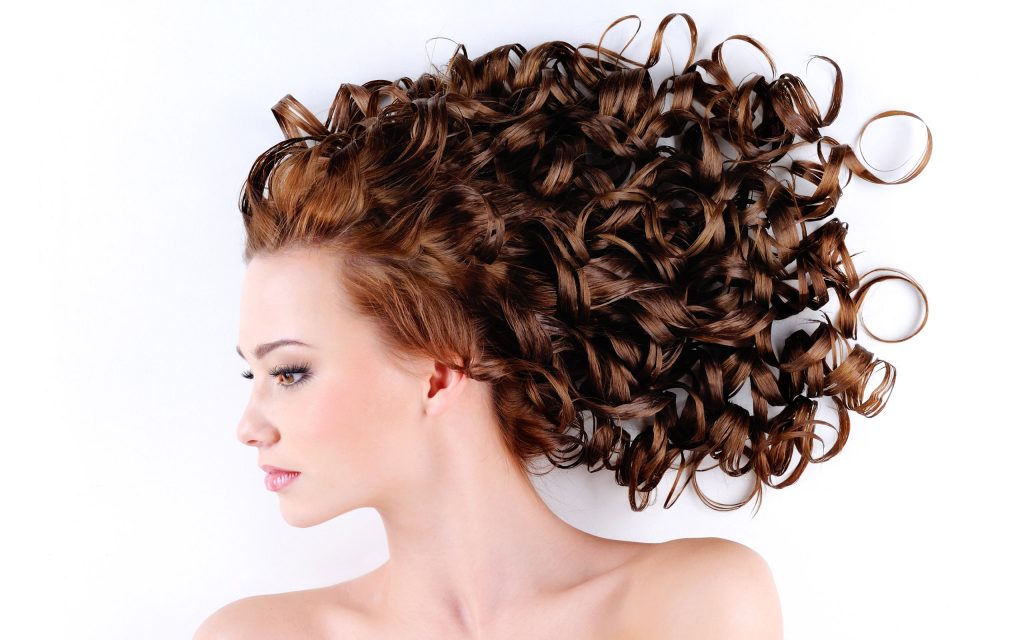
Hair Retouching
Hair retouching in modeling photography focuses on three primary tasks:
- Flyaway removal — eliminating stray hairs against backgrounds using Healing Brush and Clone Stamp, working in the natural direction of hair flow
- Color consistency — correcting areas where lighting has shifted hair color, using a Hue/Saturation layer masked to the affected area
- Shape and volume — subtle Liquify tool use to enhance natural volume where hair has compressed or fallen flat. Always at low pressure and cumulative passes
Clothing and Garment Retouching
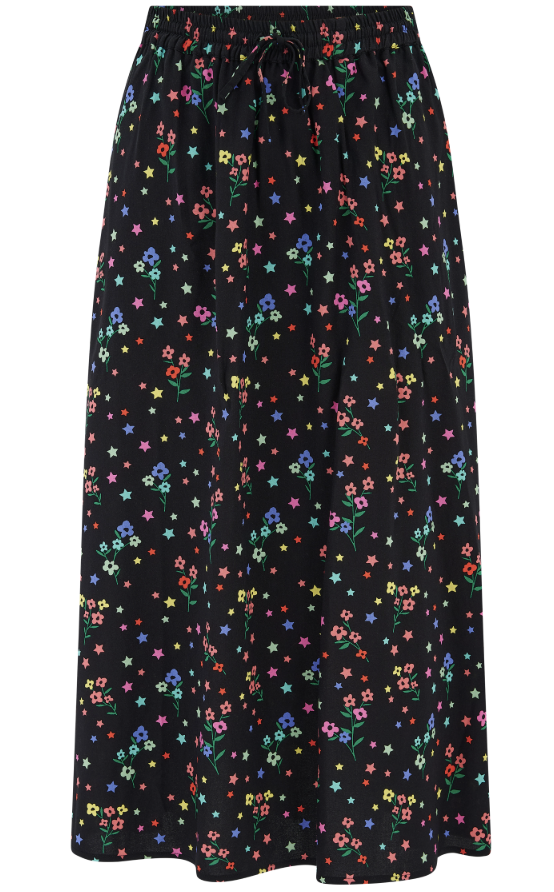
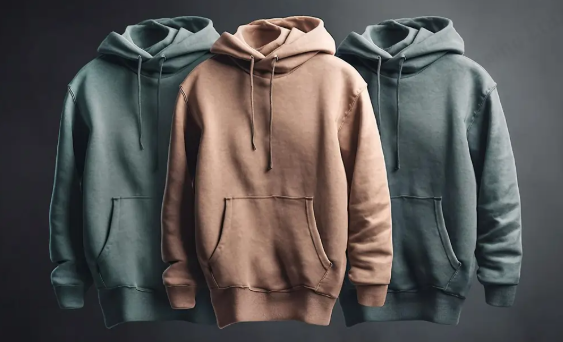
In modeling photo editing for fashion and apparel, the clothing is often as important as the model. Garment retouching in on-model images covers:
- Wrinkle and fold smoothing — removing stress wrinkles created by model movement or posing, using Healing Brush and Liquify
- Lint and thread removal — eliminating loose threads and surface imperfections that weren’t caught on set
- Color accuracy — ensuring the garment’s color is accurately represented after skin tone and overall color adjustments. Our color correction service ensures every garment reads true to its physical color
- Logo and label clarity — sharpening brand logos, labels, and text on garments for commercial catalog use
Background Cleaning and Replacement
Background work in modeling photo editing ranges from simple studio backdrop cleaning to complex compositing. Our background removal service handles precise model isolation for background replacement — a task that requires careful masking around hair, fine clothing details, and any translucent or semi-transparent elements. For eCommerce on-model images requiring a pure white background, precise background replacement is a mandatory post-production step.
Need Professional Modeling Photo Editing?
Clipping Path CA delivers expert modeling photo editing for fashion brands, photographers, and agencies worldwide. Skin retouching, color grading, background work — from $5/image with 24-hour turnaround.
Stylish Photo Editing — Color Grading for Modeling Images
Color grading is where modeling photo editing becomes truly creative — where the technical retouching work is unified into a cohesive, stylish visual look that defines the image’s mood, brand alignment, and aesthetic character. A skilled, stylish photo editor uses color grading to transform individually well-retouched images into a visually compelling, coherent set.
Understanding Modeling Color Palettes
| Modeling Style | Color Palette | Photoshop Approach |
|---|---|---|
| Luxury / High Fashion | Desaturated, cool, high contrast | Lifted blacks, cool shadows, reduced saturation |
| Warm / Lifestyle | Golden tones, warm highlights, creamy skin | Warm shadows, orange/gold highlights via Curves |
| Fresh / Natural | Clean, slightly matte, airy | Lifted shadows, gentle saturation reduction |
| Bold / Editorial | High saturation, graphic contrast | Strong S-curve, vibrant selective color |
| Neutral / Commercial | Accurate, clean, no strong cast | Neutral grade, true white balance |
The Stylish Photo Editor’s Color Grading Workflow
Professional color grading for modeling photo editing follows a structured sequence:
- Neutralize first — correct any color cast to establish a true neutral baseline before any creative grading begins
- Skin tone check — verify skin values using the Info panel to ensure accurate representation before grading shifts them
- Shadow and highlight color — use Color Balance or Curves to establish the image’s split tone — warm highlights and cool shadows (or vice versa) for depth and cinematic quality
- Selective color refinement — fine-tune specific color ranges using Selective Color: reds for skin, yellows for warm tones, cyans and blues for backgrounds and shadows
- Vibrance over Saturation — always use Vibrance for the final saturation pass in modeling images — it protects already-saturated skin tones from going orange while lifting less-saturated colors
- Batch consistency — apply the final grade across all images in the set using a saved LUT or Lightroom preset for perfect consistency
Read more: Professional Color Correction Services — Accurate Color for Every Image
Modeling Photo Editing by Category
Different modeling categories have different editing priorities. A professional stylish photo editor adapts their approach to the specific brief, brand, and audience:
Fashion and Apparel Modeling
Fashion modeling photo editing serves two masters simultaneously — the model and the garment. Skin retouching keeps the model looking polished and aspirational, while garment retouching ensures every clothing item is wrinkle-free, color-accurate, and visually sharp. Color grading aligns with the brand’s seasonal visual identity. For eCommerce fashion brands, on-model images often go through background replacement to create marketplace-compliant white-background versions alongside the lifestyle campaign versions. Our eCommerce photo editing service handles this dual-format delivery efficiently.
Commercial Modeling
Commercial modeling editing covers a huge range of product categories — household goods, food and beverage, technology, automotive, personal care. The primary editing priority is making the product look its best, with the model supporting that goal. Skin retouching is typically lighter and more natural than fashion editorial work — the model should look relatable and approachable rather than aspirationally perfected. Color accuracy for the featured product is critical.
Fitness and Activewear Modeling
Fitness modeling photo editing emphasizes muscle definition, skin tone vibrancy, and high-energy color grading that communicates strength, health, and vitality. Skin retouching preserves natural texture and muscle shadow detail — over-smoothing destroys the dimensional quality that fitness imagery requires. Color grades lean warm and saturated, with punchy contrast that works well in the social media environments where most fitness content is consumed.
Portfolio and Comp Card Editing
Models’ portfolio and comp card images require editing that presents them authentically while at their most polished. Over-retouching portfolio images creates a significant problem — if the edited portfolio images look substantially different from the model’s appearance on set, casting directors and agencies quickly lose trust in the portfolio. Portfolio editing should be clean, consistent, and natural — representing the model accurately at their professional best.
Beauty and Cosmetics Modeling
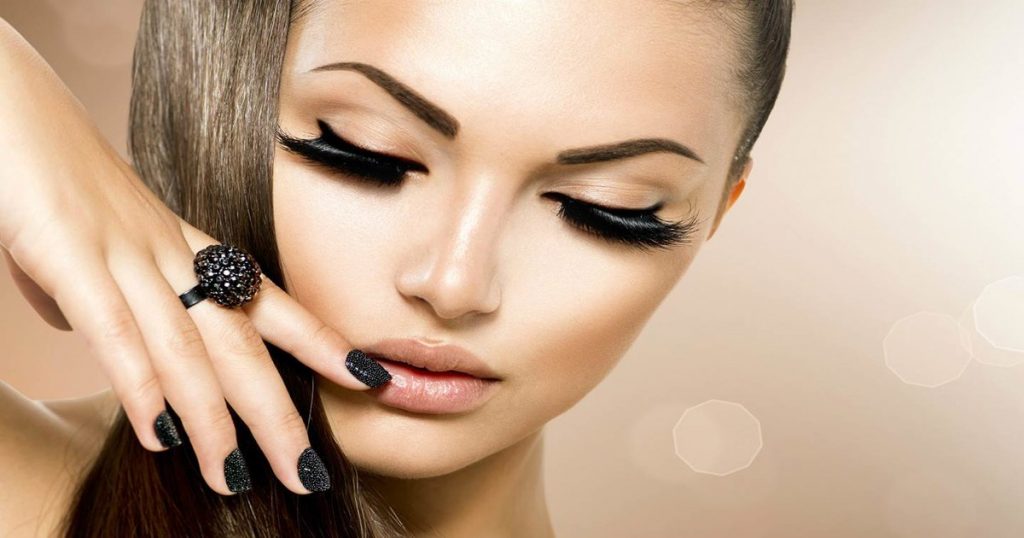
Beauty modeling editing is the most technically demanding category — close-up images reveal every detail of skin, makeup application, and lighting. Beauty retouching requires the highest level of frequency separation precision, the most careful dodge and burn work, and the most nuanced makeup enhancement. Color grading for beauty images typically emphasizes luminosity and warmth — making skin look healthy, radiant, and irresistibly touchable.
| Modeling Category | Retouching Level | Color Grade | Primary Focus |
|---|---|---|---|
| Fashion / Apparel | High — polished | Brand-specific | Model + garment equally |
| Commercial | Medium — natural | Neutral, accurate | Product first, model supporting |
| Fitness / Activewear | Medium — muscular detail preserved | Warm, high contrast | Strength, vitality, energy |
| Portfolio / Comp Card | Light — authentic | Clean, natural | Accurate representation at best |
| Beauty / Cosmetics | Very high — precision | Luminous, warm | Skin perfection, makeup clarity |
Modeling Photo Editing Ethics in 2026
The ethics of modeling photo editing have become increasingly important to brands, audiences, and regulators in recent years. Understanding where the line between enhancement and misrepresentation falls is essential for any professional stylish photo editor working in the modeling industry in 2026.
Enhancement vs. Distortion
Professional modeling photo editing enhances — it presents the subject at their best without fundamentally altering who they are or what they look like. Cleaning skin of temporary blemishes, removing flyaway hair, brightening eyes, and evening skin tone are universally accepted enhancement techniques. Significantly altering body shape, changing skin color, or making the model appear substantially different from their actual appearance crosses into distortion — and carries both reputational and increasingly legal risks for brands that publish it.
Regulatory Context
Several major markets now have regulations or advertising standards requirements around retouching disclosure. France requires commercial images with digitally altered body proportions to carry a disclosure label. The UK Advertising Standards Authority (ASA) has ruled against multiple brands for using misleading retouching in beauty advertising. In 2026, brands selling into UK, US, and Australian markets are increasingly cautious about significant body manipulation — both for regulatory compliance and for audience trust reasons.
Inclusive Retouching Standards
Leading fashion and beauty brands have moved toward retouching standards that preserve diversity in skin tones, body types, and natural features — reflecting a broader cultural shift toward authentic, inclusive visual representation. A skilled stylish photo editor in 2026 understands how to retouch across diverse skin tones accurately, how to preserve the natural features that make each model distinctive, and how to deliver polished results without imposing a homogenized beauty standard.
Best Software for Modeling Photo Editing
Adobe Photoshop — Industry Standard
Photoshop is non-negotiable for professional modeling photo editing. Frequency separation, dodge and burn on grey layers, precise masking for background replacement, and unlimited adjustment layer flexibility make it the only tool capable of delivering professional-standard modeling retouching. The 2026 version’s AI-powered Generative Fill and enhanced masking tools accelerate certain workflow stages — but the core precision retouching work still requires skilled human execution.
Adobe Lightroom Classic — Batch and Global Corrections
Lightroom handles the global correction and batch processing stages of modeling photo editing — white balance, exposure, lens correction, and initial color grading. Its Masking tools allow AI-powered subject selection for quick global skin adjustments. For high-volume fashion and commercial modeling shoots, Lightroom’s batch sync capability establishes consistent baseline corrections across all selected images before they move to Photoshop for individual detailed work.
Capture One Pro — Superior Skin Tone Rendering
Capture One is particularly valued for modeling and beauty photography editing because of its superior skin tone rendering — especially for diverse skin tones that standard RAW processors handle less accurately. Its Color Editor tool provides precise hue, saturation, and lightness control for specific skin tone ranges, and its Skin Tone tool allows rapid, accurate corrections across a batch of model images.
Luminar Neo — AI-Assisted Portrait Work
Luminar Neo’s AI Portrait tools — including AI Skin Enhancer, Face AI, and Portrait Bokeh — can deliver competent basic modeling retouching results quickly. For social media content, portfolio contact sheets, or lower-tier commercial work, these tools can accelerate production significantly. For high-end fashion editorial, beauty campaigns, or any brand-standard retouching, manual Photoshop work remains the professional standard.
| Software | Best Stage | Key Strength for Modeling | Cost |
|---|---|---|---|
| Adobe Photoshop | Detailed retouching, masking | Frequency separation, precision | Adobe CC $54.99/mo |
| Lightroom Classic | Global corrections, batch | Sync settings, batch speed | Included in CC |
| Capture One Pro | Color, skin tone rendering | Superior skin tone accuracy | $24/mo or $299 one-off |
| Luminar Neo | AI-assisted basic retouching | Speed for lower-tier work | From $14.95/mo |
Common Modeling Photo Editing Mistakes to Avoid
❌ Over-Smoothing Skin
The most common and most visible mistake in modeling photo editing. Skin smoothed to the point of losing all natural texture looks plastic and artificial — and experienced buyers and casting directors recognize it immediately. Always retain sufficient natural skin texture, using frequency separation rather than heavy blur-based smoothing methods.
❌ Significant Body Shape Alteration
Heavy Liquify use that significantly alters the model’s body proportions — beyond subtle posture correction or gentle shaping — creates distorted, unnatural figures and carries regulatory and reputational risk. In 2026, audiences are sophisticated about retouching, and brands that over-manipulate body shapes face real commercial and trust consequences.
❌ Inaccurate Skin Tone Rendering
Color corrections that push skin toward orange, grey, or yellow undermine the natural quality of modeling images and signal heavy editing to any experienced viewer. Always verify skin tone RGB values using the Info panel and calibrate corrections to the model’s actual skin color rather than applying formulaic adjustments.
❌ Ignoring Garment Quality
In modeling images for fashion and apparel brands, retouching that leaves visible wrinkles, lint, or color inconsistencies on the featured garment fails the commercial brief even if the model’s retouching is excellent. Garment retouching is always part of the modeling photo editing workflow for commercial and eCommerce use.
❌ Inconsistency Across a Campaign Set
Modeling images used as a campaign set must be retouched and graded to a consistent standard — same color tone, same retouching intensity, same background treatment across every frame. Inconsistency between images in a campaign or catalog destroys visual coherence and signals unprofessional production to sophisticated buyers and clients.
Modeling Photo Editing Pricing Guide 2026
| Service Level | Price Per Image | What’s Included |
|---|---|---|
| Basic modeling retouch | $5 – $10 | Skin cleanup, basic color correction, background clean |
| Standard modeling editing | $10 – $25 | Frequency separation, dodge/burn, garment retouch, color grade |
| Advanced fashion retouching | $25 – $60 | Full beauty retouch, background replacement, creative grade |
| Commercial / campaign level | $60 – $150+ | Campaign standard, brand style guide, compositing |
| Portfolio editing (per set) | Custom quote | Consistent set editing for model portfolio or comp card |
DIY vs. Professional Modeling Photo Editing
| DIY Editing | Professional Stylish Photo Editor | |
|---|---|---|
| Skill required | Advanced Photoshop | Expert retouchers handle everything |
| Time per image | 1–3 hours | Included in turnaround |
| Quality consistency | Variable, skill-dependent | Consistent professional standard |
| Volume capacity | Very limited | Any volume, any deadline |
| Best for | 1–5 images/month | Any commercial or brand use |
For any modeling photography intended for commercial use — brand campaigns, eCommerce listings, editorial placement, or agency portfolios — professional modeling photo editing consistently delivers better results than DIY work. Explore our professional retouching services and view examples in our portfolio.
Frequently Asked Questions
What is modeling photo editing?
Modeling photo editing is the post-production process of enhancing photographs featuring human models — including skin retouching, hair work, eye enhancement, garment refinement, background correction, and color grading — to create polished, commercially ready images for fashion, beauty, eCommerce, and portfolio use.
What does a stylish photo editor do?
A stylish photo editor applies both technical retouching skills and creative color grading expertise to transform raw modeling photography into visually compelling, brand-aligned images. They handle skin retouching, light sculpting, color grading, background work, and garment refinement — ensuring every image in a set is consistently polished and aesthetically cohesive.
What is the best technique for skin retouching in modeling photos?
Frequency separation is the professional standard technique for modeling photo editing skin retouching. It separates skin color and tone from skin texture into independent layers, allowing retouchers to even skin tone without destroying natural texture — producing smooth but realistic results that avoid the plastic appearance of simpler smoothing methods.
How much does modeling photo editing cost?
Professional modeling photo editing costs range from $5–$10/image for basic retouching to $60–$150+/image for commercial campaign-level work. Standard fashion and commercial modeling editing typically falls in the $10–$25/image range for professional-standard results with 24-hour turnaround.
Is it ethical to retouch modeling photos?
Enhancement-focused retouching — removing temporary blemishes, evening skin tone, cleaning flyaway hair — is widely accepted and standard practice. Significant body shape alteration, skin color change, or editing that makes the model appear substantially different from their actual appearance is increasingly regulated and carries reputational risk. The professional standard in 2026 is enhancement without distortion.
How long does modeling photo editing take?
DIY modeling photo editing typically takes 1–3 hours per image for professional-standard results. Professional retouching services deliver standard modeling editing within 24–48 hours for most batch sizes, with rush options available for time-sensitive campaigns and portfolio deadlines.
Can I outsource my modeling photo editing?
Yes — outsourcing modeling photo editing to a professional service is standard practice for fashion brands, photographers, and agencies managing consistent volume. Clipping Path CA provides professional modeling and fashion retouching services for clients worldwide, with transparent per-image pricing, 24-hour turnaround, and a free trial on every new account.
Conclusion
Modeling photo editing is where technical skill and creative vision combine to produce images that are both beautiful and commercially effective. The best modeling photo editing is invisible — viewers don’t see the retouching, they see a compelling model, a stunning garment, and an image that makes them want to engage, buy, or book.
The core principles are consistent across every modeling category: enhance authentically, preserve natural texture and character, maintain color accuracy, grade consistently across the set, and always serve the commercial brief with the same skill you bring to the creative work. Whether you’re editing fashion campaigns, fitness lookbooks, beauty close-ups, or a model’s professional portfolio, these principles define the difference between good modeling photo editing and genuinely great work.
Elevate Your Modeling Images with Expert Retouching
Clipping Path CA delivers professional modeling photo editing for fashion brands, photographers, and agencies worldwide. Frequency separation skin retouching, stylish color grading, background replacement, garment retouching — manual editing by expert Photoshop retouchers. From $5/image with 24-hour turnaround and free revisions.